
A calmer terminal
for your Mac.
Every session in the sidebar. Every repo in a tab. Free and open source.
ianesquivel@Ian’s-MacBook-Pro prestel-landing-page %
Built for real shell work
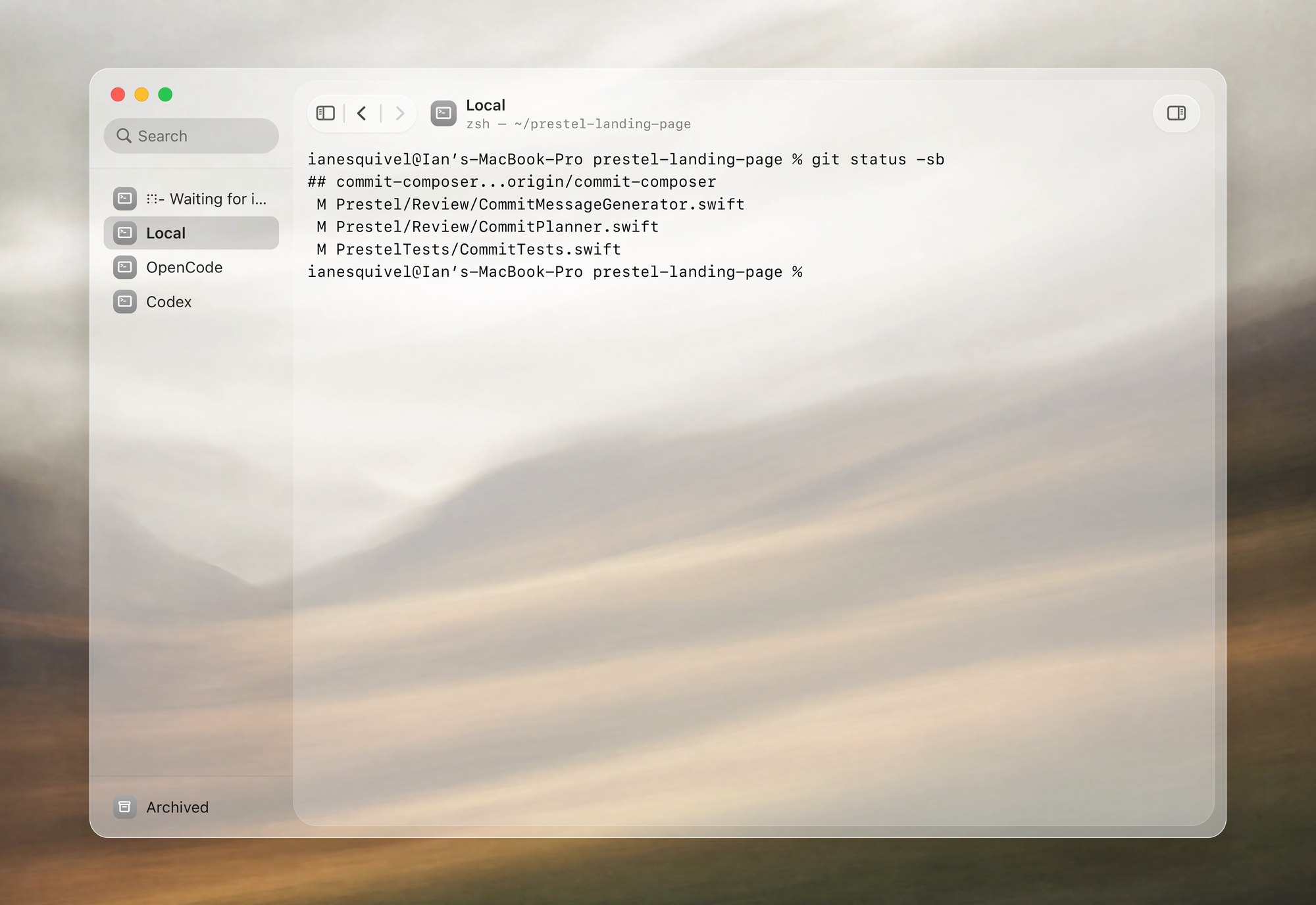
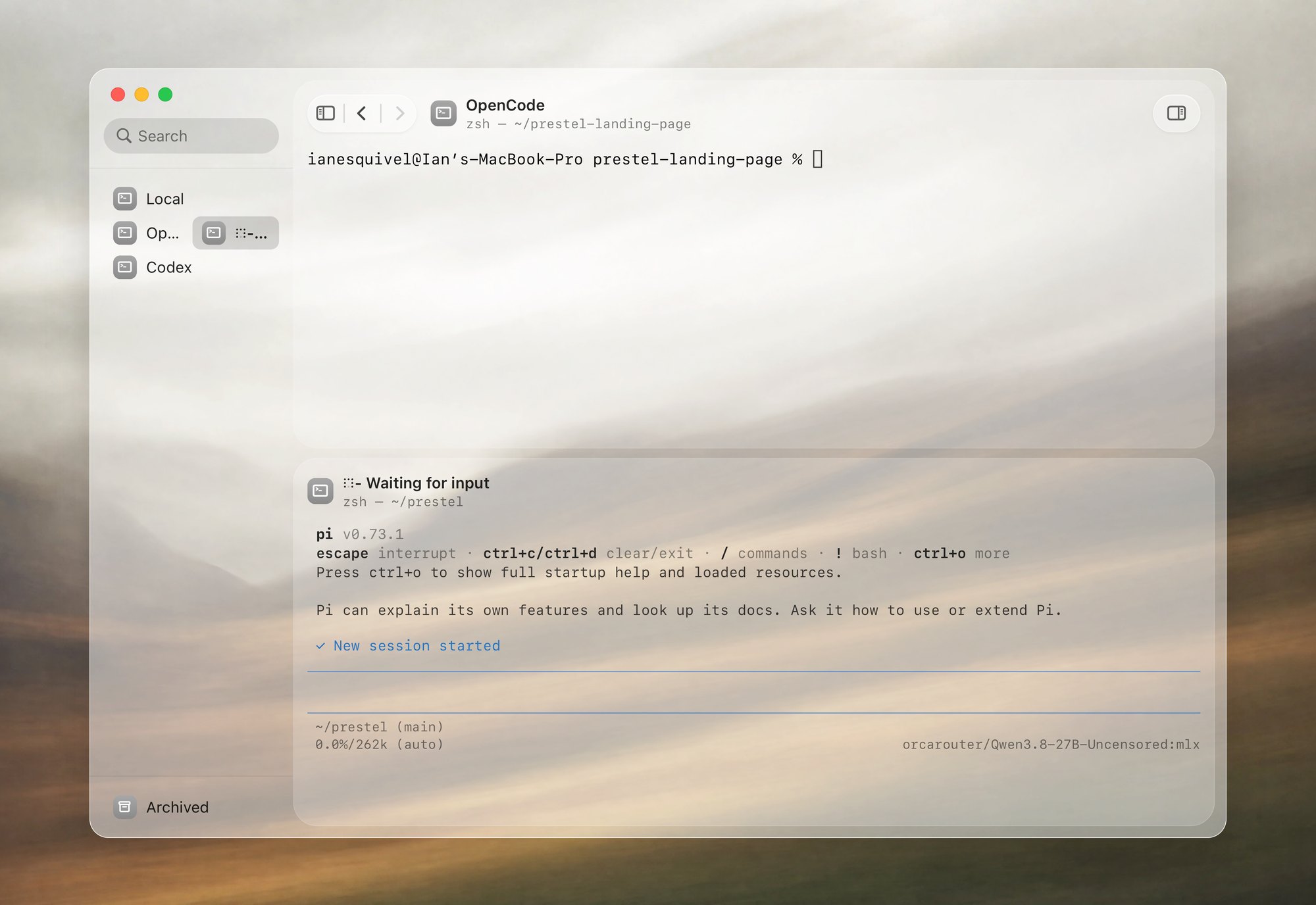
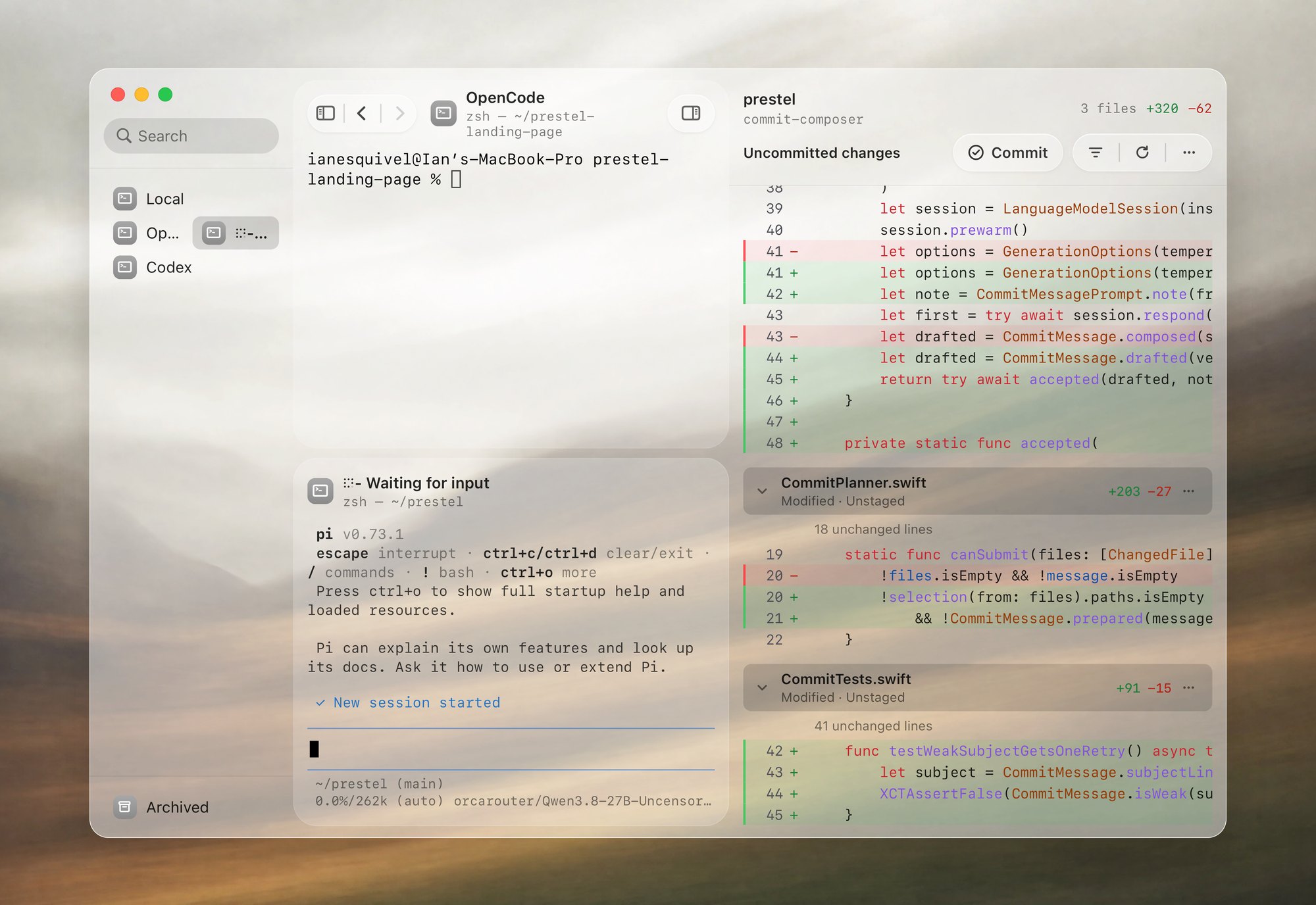
Most terminals make you choose between speed and knowing what changed. Prestel keeps your live shells in the sidebar, your coding agent beside your prompt, and your git diff docked on the right—so you can run, inspect, and commit without leaving the window.
- Runtime
- SwiftUI + SwiftTerm
- Native SwiftUI and NSGlassEffectView. No Electron or webview.
- TUI glass
- Truecolor passthrough
- Claude Code, Codex, OpenCode, and Neovim sit directly on the window glass.
- Font zoom
- Fixed cols × rows
- ⌘+ and ⌘− resize the window around your grid so scrollback never rewraps.
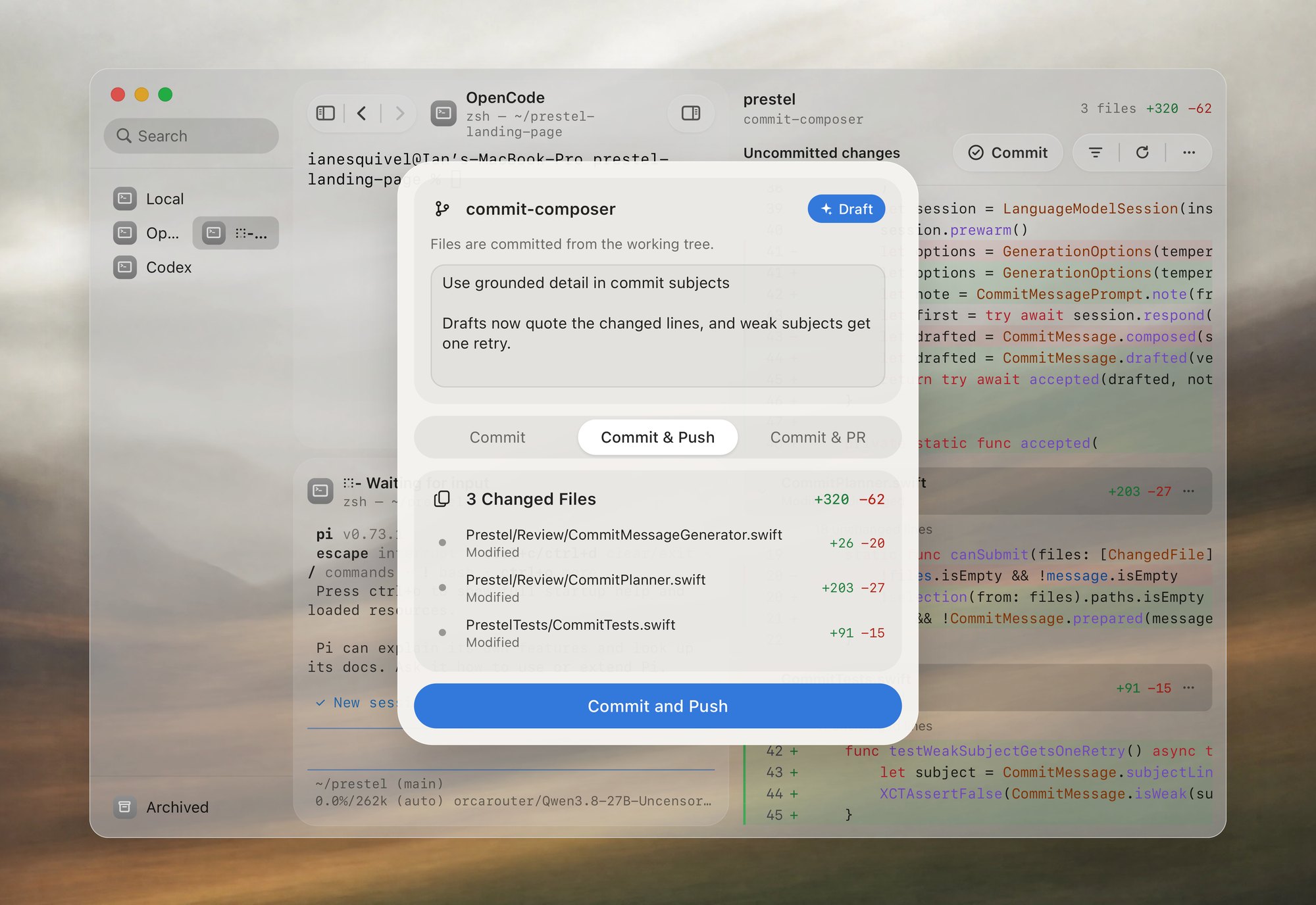
- Commit AI
- Apple Intelligence
- Drafts commit messages on your Mac from your staged and unstaged diff.
How a change moves
From prompt to commit in one window.
About Prestel

Code review beside your shell.
See staged and unstaged diffs, then commit or commit and push from the panel.

AI drafts your commit message.
Prestel reads the diff and drafts a message with Apple Intelligence.

Split two live terminals.
Drag a tab to any edge to split the view horizontally or vertically. Resize each pane.

Every tab runs its own shell.
Each session keeps its own working directory and running commands as you switch tabs.
Restraint
Left out on purpose.
Prestel stays out of the way of your shell, your dotfiles, and your code.
- No account, login wall, or cloud sync.
- No Electron wrapper or bundled Chromium runtime.
- No custom block prompt replacing zsh, bash, or fish.
- No hosted AI proxy sending diffs off your Mac.
Built-in shortcuts
- Toggle Sidebar
- ⌘S
- Toggle Code Review
- ⌘R
- New or Reopen Tab
- ⌘T⇧⌘T
- Select Tab 1–9
- ⌘1–⌘9
- Jump Between Prompts
- ⌘⌥↑↓
- Zoom In, Out, or Reset
- ⌘+⌘−⌘0
Details
Questions
Yes. Prestel exports xterm-256color and truecolor, and skips painting default-background runs so full-screen TUIs sit directly on the translucent window surface.
On your Mac. Prestel uses on-device Apple Intelligence to read the git diff and draft a commit subject and body.
The underlying PTY process stays alive. Archiving hides the tab from your active list without stopping your server or agent, and dragging a tab outside the window moves the live session into a new window.
No. Changing font size with ⌘+ or ⌘− resizes the window around the terminal's current column and row count, so lines never rewrap and full-screen TUIs keep their exact geometry.
Prestel runs your default login shell with your existing dotfiles. Semantic prompt jumping (⌘⌥↑ and ⌘⌥↓) uses standard OSC 133 shell integration marks.